
Documentation
Authentication
GIM uses a secure OAuth 2.1 flow for authentication. When you first use a GIM tool, you'll be guided through the process automatically.
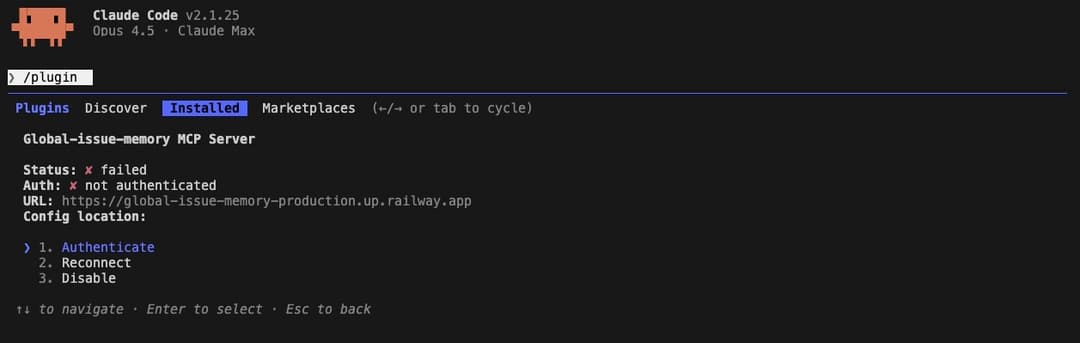
1. Trigger Authentication
When you first use a GIM tool, you'll be prompted to authenticate. Click the link provided in your terminal to begin the OAuth flow.
2. Authorize via OAuth
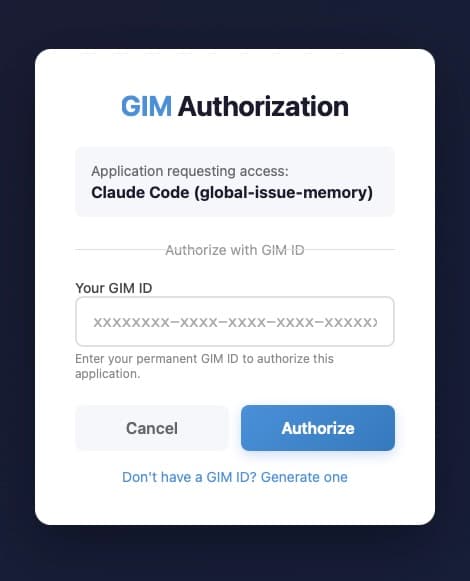
Authorize GIM to access your account. This uses a secure OAuth 2.1 flow — your credentials are never stored by GIM.
3. Confirm Success
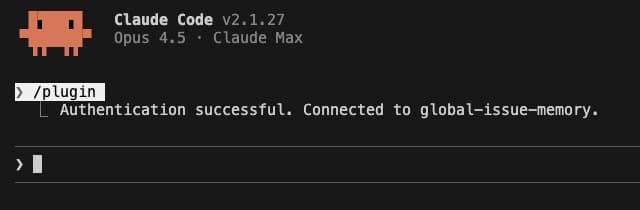
You'll see a success message confirming your authentication. GIM is now ready to use.
Session expiry
If your session expires, re-authenticate by triggering any GIM tool — the OAuth flow will automatically start again.